01TIMER.COM / Timing system guides / S-004 four-channel timing
Planning Four-Channel Split Timing With the S-004
Four-channel timing is useful only when the lane map is obvious. Before the first start, decide which gate belongs to which channel, which athlete owns each result and whether the session is measuring splits, finishes or both. The S-004 gives the hardware four channels; the field plan gives those channels meaning.
Decide what each channel represents
Draw the track or training lane on paper and label channels 1 through 4. A four-lane race may assign one channel to each lane. A single athlete doing short sprint intervals may instead use the channels as sequential split points. Do not mix those two modes in one result sheet without a clear session label.
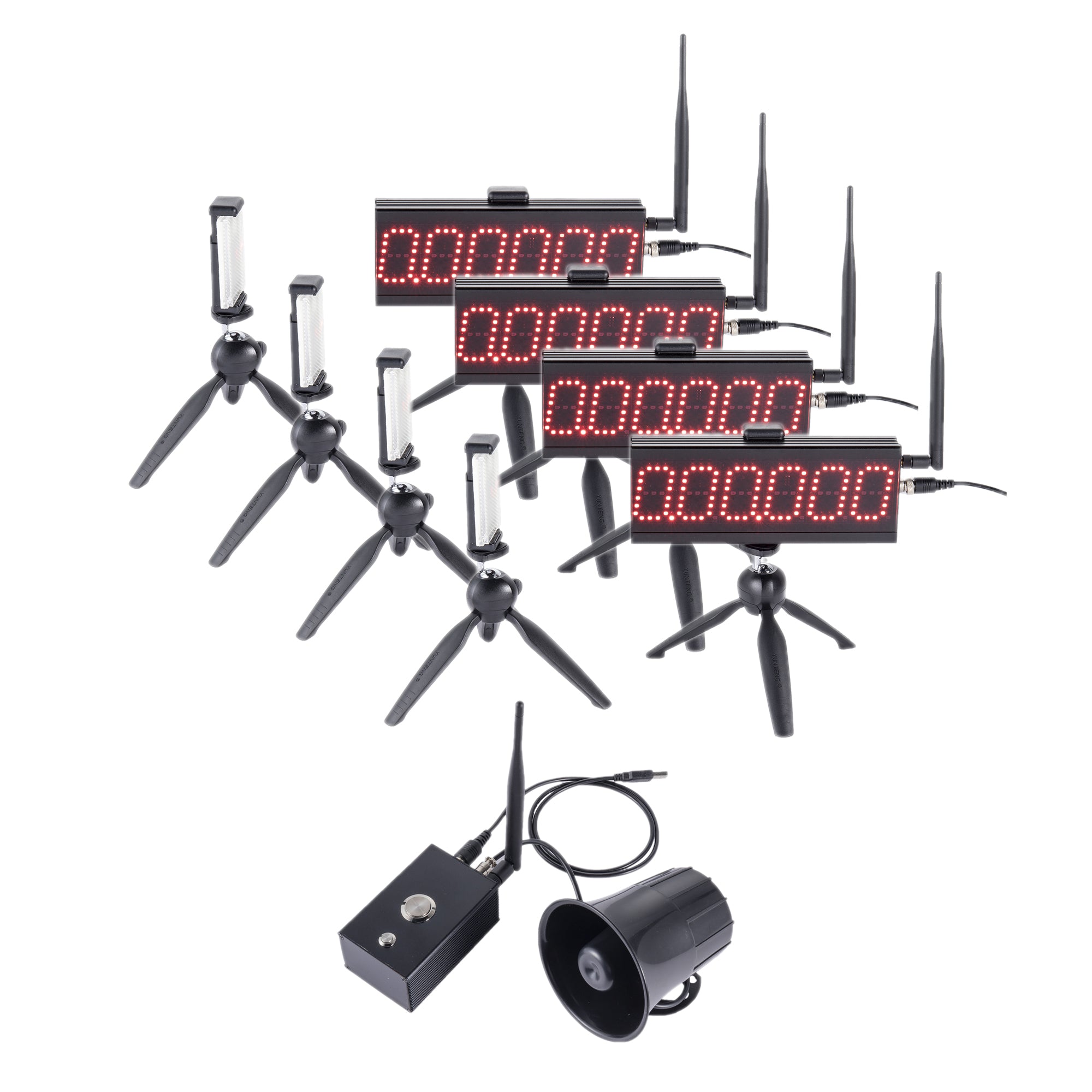
The S-004 product page describes a four-channel competition timing system for four-lane timing, interval training, split timing and technical testing. It also lists a wireless control box, four LED displays, four reflectors, a command speaker, eight tripods and two equipment cases in the package. Confirm the current contents and operating mode before deployment.
Place the control point where labels stay visible
Choose a control position with a clear line to the timing points and enough room for the operator to see lane labels. Use a simple channel card at the control box: channel, gate location, athlete or lane, and expected event. This prevents a correct time from becoming an unusable time because it was assigned to the wrong lane.
The product listing gives a best-condition communication distance within 500 m and a typical range of 200 to 300 m. Treat that as a planning reference, not a promise for every venue. Walk the route, check obstructions and keep the control point inside the tested range.
Align each gate as its own measurement
Set the four timing points one at a time. Place the stands outside the running line, align the beam with the intended crossing and run a slow walk-through. Then test the four channels in order. The beam alignment guide is useful when a gate has moved between sessions.
| Channel check | Question | Record |
|---|---|---|
| Identity | Does the channel map to the correct lane or split? | Channel and location |
| Trigger | Does a walk-through create one event? | Pass, retry or adjustment |
| Display | Is the visible result readable from the operating position? | Display number and label |
| Power | Are the control box, displays and accessories ready? | Power check time |
Choose a clean event definition
For split training, define the start point and each split point before the athlete runs. For four-lane racing, define whether the recorded result is a finish time, an intermediate time or a lap event. The current product page says the S-004 supports four-stage short sprint training and up to four simultaneous starters, with multi-lap setting support. Use one mode per session block and put the mode name on every export.
Review the first live run
After the rehearsal, run one controlled effort and compare the channel order with the physical course. Check that the first athlete, lane and event match the first result displayed. If a channel fires early or late, stop and correct the gate before collecting a full set of times.
For repeat testing, keep the same lane map and field names. The CSV and athlete-roster workflow shows how to preserve session context when results leave the field.
When four channels are not enough
Four channels cover many lane and split sessions, but a venue with more timing points needs a different design. Compare the S-004 plan with the S-007 multi-point system when the course needs additional gates or a more flexible layout.
Operator rule: every channel should have a physical label before the first athlete is called.