01TIMER.COM / Timing system guides / Field notebook
Start-line field notes
Field Notes From a B-02 Gunshot Start Timing Session
The start line has its own rhythm. The starter checks the lane, the operator arms the timing mode, the athlete settles and the recorder waits for a result. One missed acknowledgement can break that sequence. A short field notebook keeps the B-02 gunshot start timing workflow visible to everyone.
Before athletes arrive: name the event
The current B-02 product page lists gunshot start timing and single or multi-lap timing as separate operating modes. Write the chosen mode at the top of the session sheet. This article follows the gunshot-start path; a lap session needs a different event map and result table.
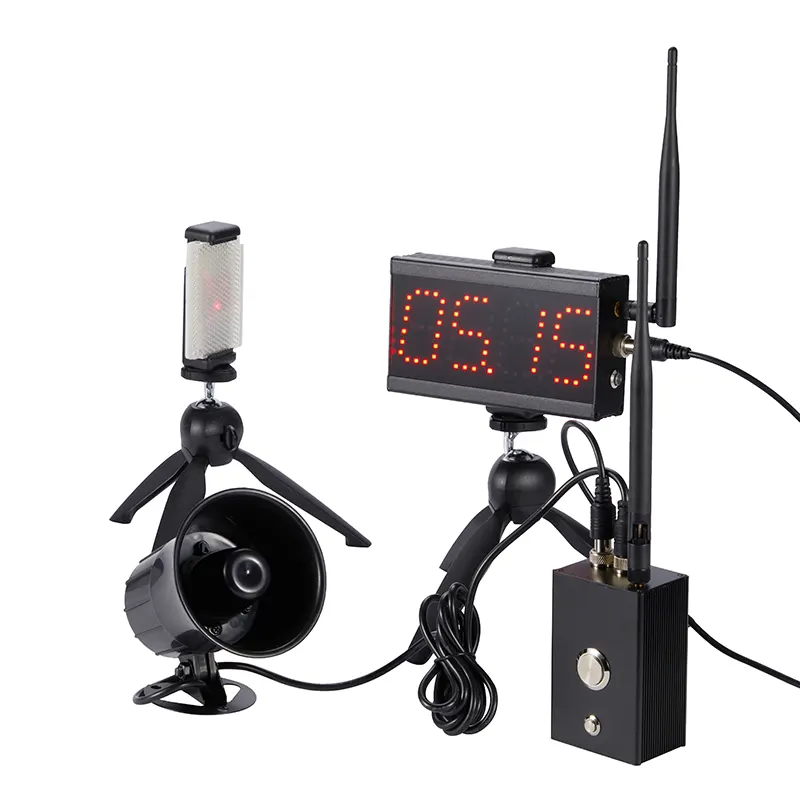
The listed carry-case package contains a timing host, laser sensor, tripod accessories and charging accessories. Match the actual case to the manual before leaving storage. The equipment maintenance checklist covers power, cables, stands and damage checks.
At the start line: separate the three roles
Give the starter control of the lane and start signal. Give the timing operator control of mode selection, arming and reset. Give the recorder control of athlete identity and attempt status. One person can hold more than one role in a small session, but the actions should still occur in that order.
| Role | Before the signal | After the finish |
|---|---|---|
| Starter | Confirms athlete and clear lane | Reports a false or interrupted start |
| Timing operator | Selects the mode and confirms ready state | Reads the result and controls reset |
| Recorder | Calls the athlete ID and attempt | Logs time, validity and any note |
A visible role split prevents two common mistakes: resetting before a time is recorded and sending the next athlete before the timer is ready.
During rehearsal: use the complete sequence
A sensor walk-through confirms alignment, but it does not rehearse the start. Run one unscored attempt from the athlete call through the final result. The starter should wait for the operator's ready acknowledgement. The recorder should repeat the athlete ID before writing the time.
If the finish sensor or stand moves, pause and repeat the alignment check. Use the beam alignment guide to keep the finish crossing in the same position throughout the session.
After each run: preserve the exception
Record invalid attempts rather than deleting them. A late athlete call, blocked finish line, false start or moved stand explains why a displayed value was not accepted. These notes also show whether the problem came from the course, the operating sequence or the athlete's attempt.
Read the result aloud before reset. The recorder repeats it, marks the attempt valid or invalid and only then clears the lane for the next athlete. The athlete testing data workflow provides a simple structure for IDs, attempts and context notes.
When the session changes: close one block first
Do not switch from gunshot-start work to lap timing while the same table remains open. Save the first block, change the mode label and run a new rehearsal. A lap result depends on repeated passages and lap order, so it needs fields that a single start-to-finish time does not.
Before packing: leave the next operator a clean record
Store the role list, ready phrase, test definition and exception notes with the results. Count the kit back into its case and flag anything that needs charging or replacement. For a session that requires more timing points or a public display, use the timing-system selection guide before changing the layout.
Field note: the start signal is one event inside a larger operating sequence. Record the whole sequence.
Questions from the start line
Does the B-02 support lap timing?
The official page shows a separate single or multi-lap timing mode. Close the gunshot-start block before changing modes.
Who should reset the timer?
Assign one operator. The reset should happen after the recorder repeats the result and marks the attempt status.
Can the result be shown at a distance?
The product page says an optional LED display can be quoted. Confirm compatibility with the selected package.