01TIMER.COM / Timing system guides / S-001 setup
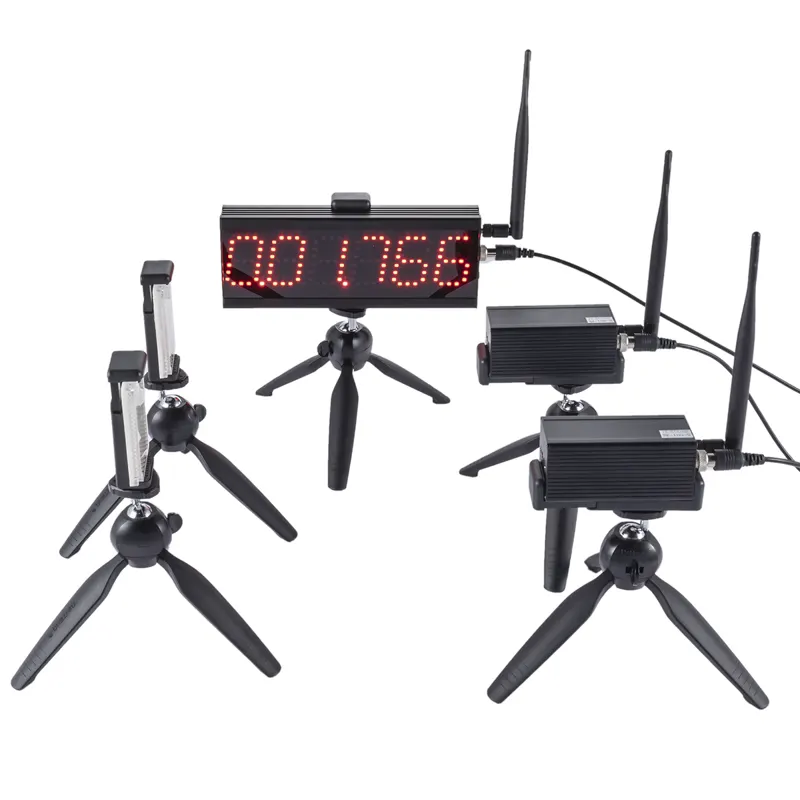
How to Set Up the S-001 for Individual Sprint Testing
A small timing kit works best when the test itself stays simple. The S-001 is listed as a single-person laser timing system, so the useful starting point is one athlete, one defined course and one result format that does not change halfway through the session.
Start with one measurement question
Decide what the time should answer before placing the equipment. A coach might want a short acceleration time, a full sprint time or a regular benchmark for one athlete. Pick one distance for that purpose. Adding an extra turn, split or lane changes the test and can point toward a different system.
The current S-001 product page describes a standard package with a start laser sensor and a finish laser sensor. It positions the model for personal coaching, basic sprint timing and small-group testing with fewer timing points. Confirm the supplied components and operating steps on that page before a session.
Mark the course before placing the sensors
Measure the start-to-finish distance and mark both lines. Put the sensors where the athlete will cross the intended line, then secure the stands outside the running path. A straight approach reduces the chance that the athlete clips a stand or reaches the beam at an unusual angle.
Keep beam height and alignment the same on repeat visits. The timing-gate alignment guide explains a practical pre-session check. Whatever height the program selects, record it instead of relying on memory.
Use a short readiness check
| Check | What to confirm | Record |
|---|---|---|
| Course | Start and finish lines match the planned distance. | Distance and surface |
| Sensors | Both units are stable, aligned and clear of traffic. | Gate height and position |
| Trigger | A walk-through creates the expected start and finish events. | Pass or adjustment made |
| Display | The result belongs to the current athlete and attempt. | Athlete ID and trial number |
Run this check after moving either sensor. A test passage takes less time than sorting out a missing or mislabelled result later.
Keep the start rule visible
Choose a self-start, a command start or another method supported by the session plan and equipment. Mark the athlete's starting position and use the same rule for every scored attempt. Do not compare a rolling start with a stationary start as though the numbers came from the same test.
If the group also wants reaction data, define that separately. The reaction-time testing guide explains why a start signal, first movement and first gate crossing are different events.
Record context, not just the best time
A simple sheet is enough: athlete ID, date, course distance, start rule, gate height, attempt number, elapsed time and validity note. Keep all valid trials, then identify the selected result with a stated rule such as fastest valid time or median of three. A later reader should be able to tell how the number was produced.
For recurring sessions, use the same field names each time. The athlete testing data workflow gives a fuller structure for rosters and repeated tests.
Know when the session has outgrown the kit
The S-001 keeps a start-to-finish test compact. A request for simultaneous lanes, several intermediate splits or a configurable sensor count is a different requirement. Compare those needs in the timing-system selection guide before adding complexity to the course.
Practical rule: preserve the layout that produced the baseline. Change one protocol detail only when the new test has a new name and its own result history.