01TIMER.COM / Timing system guides / S-005 result review
S-005 Multi-Lap Timing: How to Review Every Lap Result
S-005 multi-lap timing does not end when the display shows a number. Someone still has to decide whether lap 7 is really lap 7, whether a short interval is plausible, and whether the total agrees with the last passage. This guide treats the record as a sequence that can be checked, not a list of isolated times.
Start with the event definition
Write the course, direction, expected lap count and finish rule before the first run. “Eight laps” is not enough on its own. Note whether the displayed total is the time from the opening start to the final passage, and state whether the first crossing is a start or a lap. That small sentence prevents a common mistake: comparing a warm-up passage with a scored lap.
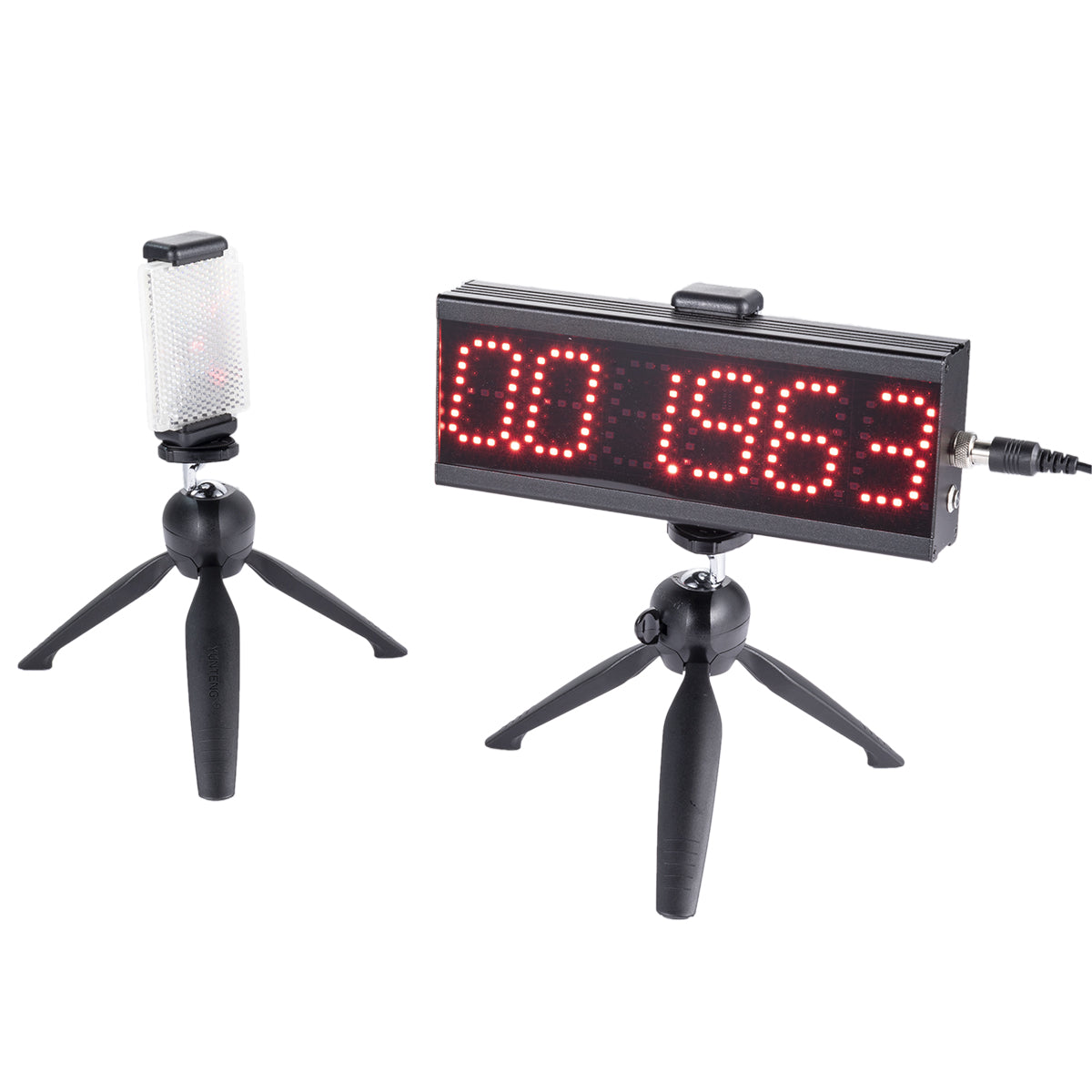
The S-005 product page describes a single-person multi-lap wireless laser timer for repeated pass sessions and agility training. It lists single-lap time, total time and support for up to 199 laps. Treat those as system functions, then define the event rule that gives each value a meaning.
Give every passage a row
Use one row per passage, even when the event only publishes the fastest lap. A row should contain the athlete ID, lap number, displayed time, running total and status. The status can be valid, warm-up, missed trigger, duplicate trigger or review needed. Keeping the raw row makes later questions answerable without guessing.
| Field | Example | Review question |
|---|---|---|
| Athlete | A-014 | Is this passage attached to the correct person? |
| Lap | 07 of 12 | Does the sequence contain a gap or duplicate? |
| Lap time | 00:24.81 | Is the interval plausible for this course? |
| Running total | 02:58.40 | Does it equal the start plus all accepted laps? |
| Status | Valid / review | What happened if the row is excluded? |
If you export results later, keep these columns beside the equipment log. The CSV export workflow explains why an athlete ID and stable field names matter when a session moves into a spreadsheet.
Check the sequence before the pace
In S-005 multi-lap timing, the passage order is the quickest integrity check.
Read the lap column from top to bottom. Look for 1, 2, 3 and so on. A missing number is not automatically a bad result, but it is an exception that needs a note. A repeated number often means an operator corrected a row or a passage was counted twice. Resolve the sequence first; pace analysis built on the wrong order will look precise and still be wrong.
For the S-005, the product page lists two LED displays in the package. Use the displays for immediate reading, but do not rely on a photograph of the display as the complete record. A photo can show a value; the event sheet explains which lap that value belongs to.
Use interval checks to find exceptions
Subtract one running total from the next, or compare consecutive lap values if the system reports them directly. Flag an interval that is far outside the session pattern. Then inspect the course and notes: did the athlete stop, did another person cross the laser, or did the operator change the mode? The interval is a prompt for investigation, not proof of a hardware fault.
When a trigger is missed, record the competitor, expected lap and observed evidence. Follow the event's approved review process. Do not insert an estimated time without labeling it. The broader multi-lap timing workflow covers course mapping and a missed-trigger process; this page focuses on reading the resulting record.
Reconcile the final total
The final total should agree with the event definition and the accepted passage rows. If the system shows a total that does not match the row sum, check whether the first event was a start, whether a lap was excluded, and whether the result view is showing a current lap or cumulative time. Make the discrepancy visible in the report rather than quietly changing one number.
For a repeat training block, retain the original total, the corrected interpretation and the reason for the correction. That gives the coach two useful facts: what the device displayed and what the reviewed result means. The athlete data workflow provides a practical structure for storing both.
Prepare the next session from the review
At the end of the day, write one setup note for the next crew. Include the lap point, direction, expected count, display position and any trigger issue. If the course changed, create a new session ID instead of appending to the old one. The beam alignment guide is useful when a moved tripod or changed crossing height may explain an outlier.
Practical rule: a trustworthy multi-lap result has a defined start, an ordered passage list, an exception note and a reconciled finish total.
Questions about S-005 result review
How many laps can the S-005 support?
The current product page states support for up to 199 laps in a single-person multi-lap running session. Confirm the operating mode for the package you plan to use.
Should a missed trigger be estimated?
No. Mark the missing passage and use the event's approved review process. If an estimate is required for analysis, label it as an estimate and retain the raw record.
Are the S-005 display and the result sheet interchangeable?
No. The display gives a quick reading; the result sheet connects that reading to a lap, athlete, status and course definition.