S-007 Split Session Pre-Run Verification
Multi-point sprint data is only useful when the course map, station labels and result columns describe the same test. A short S-007 pre-session audit helps a coach catch mismatched names or moved gates before the first athlete runs.
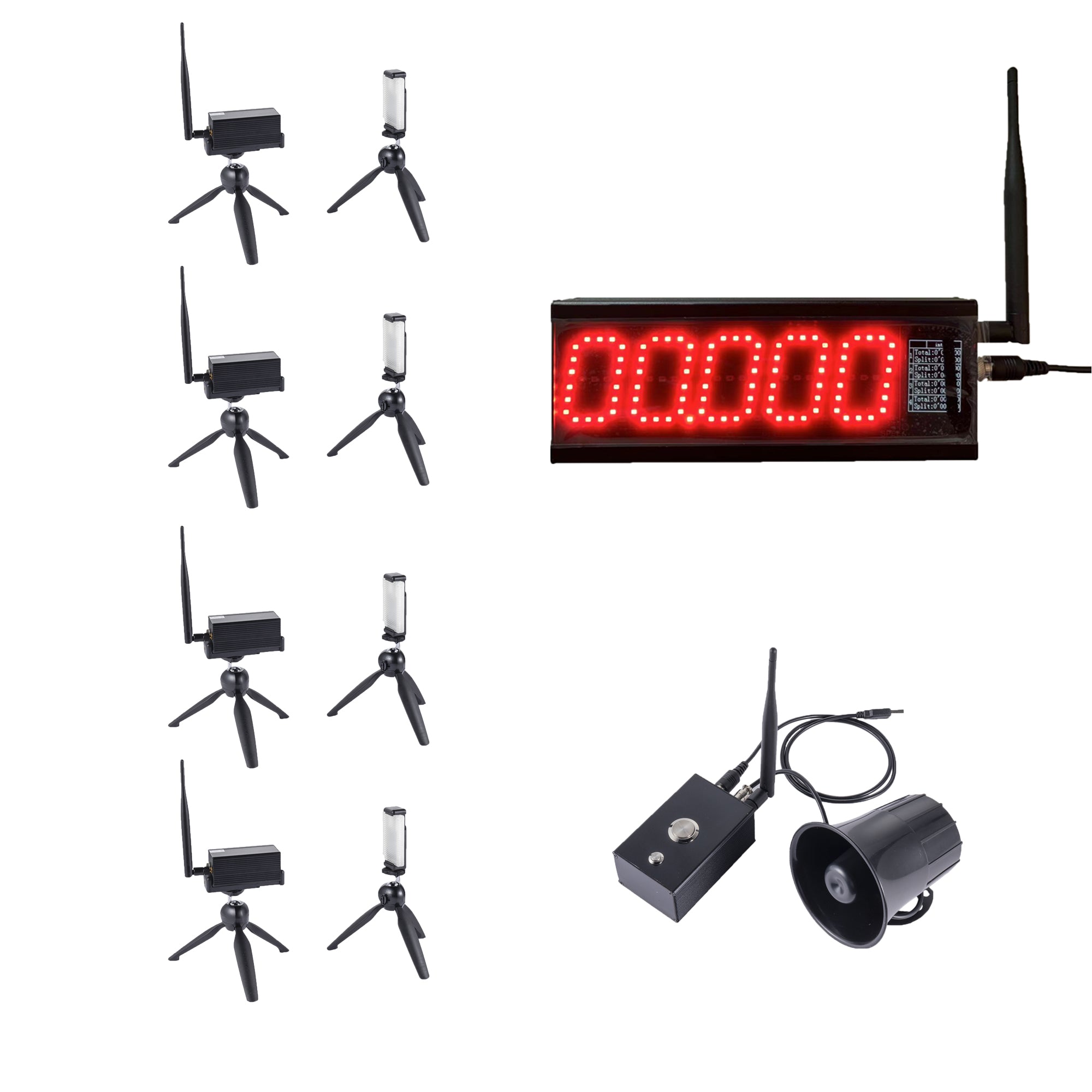
The S-007 product page describes a multi-point laser timing system for interval, segment and multi-track timing. Its listed package includes a controller, laser timing gates, tripods, wiring accessories and setup support; exact operation and limits should be confirmed for the selected model and site. The checks below focus on managing a session record, not on unlisted software features.
Freeze the course version first
Before athletes arrive, assign a course version such as “Sprint-30m-A, 18 Nov.” Record the start line, each beam plane, travel direction and measured distance between points. If there are multiple lanes, label each lane on the map and record whether the physical layout is intended to be identical. If a tripod moves, update the map rather than relying on memory.
| Audit item | Compare | Pass condition |
|---|---|---|
| Station order | Course map and configured point names | Both show the same start-to-finish sequence |
| Distance labels | Map, worksheet and test protocol | Each value uses one stated origin and unit |
| Lane ID | Lane marker and result sheet | Each record can be tied to one lane |
| Participant ID | Start list and timing record | No ambiguous or reused athlete code |
| Operating mode | Session plan and selected configuration | Mode is named and confirmed with a test pass |
The S-007 layout guide discusses placing gates by the timing question. This checklist adds a data-quality step: make the configured station labels match the labels on the coach's sheet before collection begins. The multi-point layout guide and split-versus-segment explainer help define the timing points and the meaning of each result column.
Run one controlled acceptance pass
Use one designated tester to cross the course in the intended direction. The operator calls out each configured point in sequence while a second person checks the worksheet. Confirm the finish value appears under the right test and participant reference. Repeat a pass if a station moved, a label changed or the course version is unclear.
This check is not a calibration certificate and does not prove a particular accuracy specification. It is a practical way to see whether the session setup follows the intended map and record structure. Product-page details say accuracy and communication distance should be confirmed by model and site conditions; ask the supplier about the selected configuration if the event needs a documented performance limit.
Keep unexpected results visible
A surprising time is a reason to inspect context, not to erase a row. Record whether the lane was obstructed, a participant crossed in the wrong direction, a station shifted or an operator changed the sequence. Keep the original value, then mark the attempt as accepted, repeated or excluded under the coach's stated protocol.
Use consistent participant identifiers and preserve the course version with exported data. The roster and CSV guide covers stable IDs and field names. If the session uses several lanes, review the lane-capacity planning guide to avoid selecting equipment or a layout from a lane count alone.
Close the session with a short reconciliation
Before packing, compare the number of expected runs with accepted, repeated and incomplete attempts. Check that no row has an empty participant ID, no station label conflicts with the map and every exception has an owner. Save the final map version, operating mode and timing export together so a later coach can tell how the test was run.
When the same test is repeated another day, compare setup notes before comparing times. A changed distance, start method, surface or crossing direction may change what a result represents. The cross-session comparison guide offers a similar consistency framework for repeatable testing.
S-007 session QA questions
Does S-007 automatically validate a sprint result sheet?
Do not assume the product validates roster identity or course labels. The operator should compare the configured station names and timing records with the session map and roster.
Should a coach remove an unusual timing value?
Keep the raw record. Mark the attempt for review and document the reason and authorized decision rather than deleting an unexpected result.
Can I compare S-007 sessions when the gate layout changes?
Only after checking that the start rule, distances, crossing direction, operating mode and result definitions remain comparable. Store each session's course version.
Related reading: S-007 product details, cumulative and segment time labels, gate alignment checks, and ask about a configured package.