01TIMER.COM / Timing system guides / team speed testing day
Team Speed Testing Day: A Timing Workflow
A team testing day can produce a lot of numbers in a short time, but speed is not the only thing being measured. The schedule, lane rotation, athlete identity and rest decisions all shape the record. A simple operating workflow helps a staff member run the station while another person keeps the roster trustworthy.
Write the station plan before athletes arrive
List each test in the order it will run, the route name, the number of attempts and the rule for a valid trial. Decide which tests share a layout and which require the gates to move. A visible station sheet prevents an assistant from relying on memory when the group gets busy.
Keep the protocol focused. If the day includes a straight sprint, an agility route and a repeated-effort block, give each one a separate name and result section. The training-versus-meet timing guide is a useful reminder that an organized session needs roles and documented conditions.
Give every athlete a stable identity
Use an athlete ID that stays the same through the whole day. A jersey number can change or be unreadable, so pair it with a roster ID or name field. Prepare the order before the warm-up and leave room for late arrivals without renumbering everyone.
Record one row per attempt, not just one row per athlete. Include the protocol, attempt number, time, validity and operator note. The athlete testing data workflow and CSV export guide show how this structure supports later review.
Assign clear roles at the station
| Role | Primary responsibility | Handoff signal |
|---|---|---|
| Station lead | Confirms the protocol, starts the block and resolves an unclear rule. | Calls the next athlete ID and route name. |
| Timing operator | Checks the beam, watches the display and records the captured time. | Reads the result back before clearing the lane. |
| Roster manager | Queues athletes, marks attempts and controls the rest rotation. | Gives the operator the next prepared row. |
| Safety observer | Keeps the lane and run-out clear, especially when equipment is near a court or field. | Calls “clear” before the start command. |
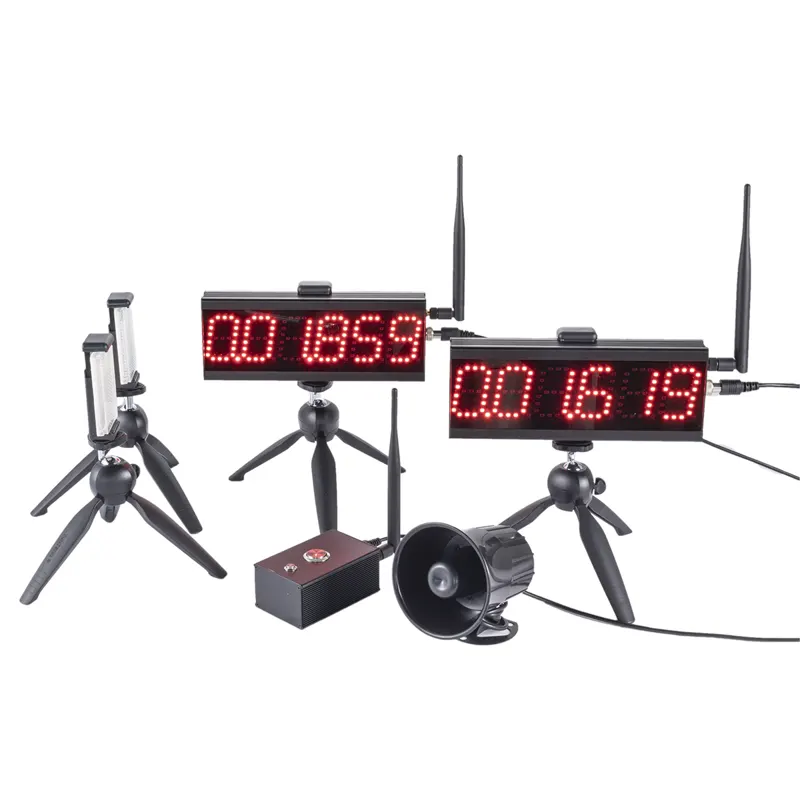
One person can cover more than one role in a small group, but say which role is active. During a larger rotation, a dual-track setup can keep two independent lanes moving when the route and safety space allow it.
Choose one lane model for the block
A single lane is easier to audit and often suits a small roster. Two lanes can reduce waiting, but only if each lane has its own marks, beam check and result column. Four-channel split systems add more options, yet they also add more labels to verify. The S-004 four-channel guide explains the planning questions before using extra timing points.
Before the block starts, walk each lane and perform a controlled passage. Confirm that the display belongs to the intended channel. Keep lane names on tape or a board where the operator can see them without leaving the station.
Control the clock around the clock
Timing starts with the athlete, but consistency also depends on what happens between trials. Use the written rest rule for the test, call the next athlete only when the lane is safe and pause the queue if equipment needs attention. Do not shorten recovery simply because the schedule is running late.
When a trial is interrupted by a crossing player, a dropped ball or a missed start, mark it invalid with a short reason. Repeat it under the same rule and keep the original row. The maintenance checklist helps separate an equipment issue from an athlete or scheduling issue.
Close the block before changing the setup
At the end of a test, read back the last result, check that all roster rows have a status and photograph the gate positions if they will be reused. Only then move the equipment for the next route. Changing a beam while a previous block is still open makes later comparison difficult.
For a different format, review the S-400 planning guide and the solutions overview for published workflow context. Keep model specifications tied to their current product pages.
Review results with the team
First check data quality: missing IDs, duplicate attempts, invalid rows and changes in lane or rest. Then summarize the valid results by protocol. A median or range can add context to a best time, especially when the day included several attempts.
Share the route and conditions with the result. “Fastest” is only meaningful when the reader knows which test produced it. Save the original export and the station sheet so the next testing day can repeat the useful parts and improve the weak ones.
Operations rule: the person who records a time should be able to explain which athlete, lane, protocol and attempt it belongs to.
Questions about team testing days
Can the coach also operate the timer?
Yes, for a small group, if the coach can keep the lane safe and record the result without missing the next start. A separate roster manager becomes useful as the queue grows.
Should a team use its best time only?
Keep all valid attempts. A best time can be reported, but the full set reveals consistency and makes an unusual result easier to investigate.
When should data be exported?
Export at the end of each completed block and again at the end of the day. Keep the original file with the station sheet and note any corrections in a separate change log.