01TIMER.COM / Guides / connection checks
Wireless Timing Gate Connection Checks in the Field
One silent station can make a whole run look plausible while a split is missing. Before moving equipment or repeating a race, identify the affected station and preserve the results already recorded.
This wireless timing gate connection check is for an operator facing a missing or intermittent station during a session. It is a troubleshooting order, not a model-specific repair manual. Use the instructions supplied with the installed timer for reset procedures, approved connections and any service work. If a safety-critical lane cannot be observed, stop that lane until the fault is understood.
Freeze the record before changing the course
Write down the time of the first missing event, the station label, lane, athlete or vehicle ID, and the last complete result. Mark affected attempts as pending review. The operator at the receiver should tell the course marshal which station is under investigation; the marshal should keep new participants out of that timing zone while the check runs. A late result may appear after a pause, so record what the system actually showed rather than rewriting the timeline from memory.
Keep a copy of the event record before any restart or configuration change. The result export and roster guide explains why identifiers and missing rows should remain traceable. Do not fill an absent split with an arithmetic estimate and present it as a measured time.
Check the station in a fixed order
| Check | Evidence to record | Next action |
|---|---|---|
| Power and physical condition | Indicator state, battery or approved supply, visible damage | Use the model's documented power procedure; isolate damaged equipment |
| Station identity | Displayed channel, lane or point name against the course map | Correct only after saving the original setting and event log |
| Course position | Placement, obstruction and alignment at the actual lane | Recheck against the marked survey position |
| Communication path | Observed receiver status during a controlled pass | Escalate if communication remains intermittent |
Begin with the simple physical checks because a gate can be powered but pointed away from its intended crossing. The alignment and beam-height guide covers a repeatable crossing test. Compare the present location with the course survey, especially if staff moved a station for access or weather. The outdoor conditions guide is useful when the failure follows a layout change.
Separate detection from wireless reporting
A missing result does not by itself prove a radio problem. Ask two distinct questions: did the station detect the crossing, and did the host receive and attribute that event to the correct point? Use the selected system's indicators and logs where available. Have one named person make a deliberate test crossing while another watches the receiver. Record both observations and the exact station configuration.
If a crossing is not detected locally, revisit alignment, beam position and the crossing path before touching the communications setup. If local detection is evident but the host does not receive it, check the host state, pairing or station assignment according to the model manual. Do not switch a live point to another channel without recording the change; a result that appears under the wrong split name is a different kind of failure.
Use the antenna only when the model matches
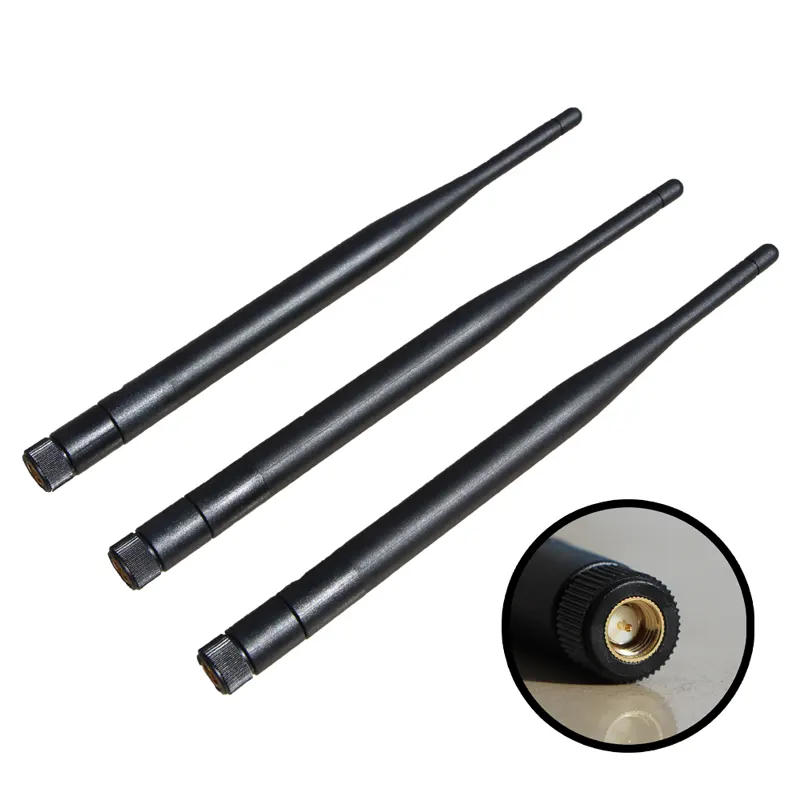
The 01TIMER Antenna accessory page describes a replacement or additional part for compatible timing systems and asks buyers to confirm the exact model before ordering. That is not a promise that every receiver or gate accepts the same antenna. Keep the timer model, installed package and order details at hand when seeking a spare. Never force a connector or modify an antenna on the course.
Test communication at the actual station positions with the configured package. A nominal range cannot account for every building, elevation, crowd or installation. The wireless and wired layout guide helps document whether a venue change calls for a revised layout rather than a replacement part. For long or multi-point courses, the S-007 layout guide shows why point order and receiver location should be mapped before participants arrive.
Prove the fix with a controlled pass
Restore the intended station label and physical position, then make several deliberate crossings from the approach participants will use. Confirm the expected event appears at the expected point, with no extra trigger or missing split. Record the operator, time, configuration and last successful check. If the test still fails, switch to the event's documented contingency or pause that course; an apparently normal display is not enough to clear an intermittent station.
Add the incident to the maintenance record and compare replacement items with the field spares checklist. When contacting 01TIMER support, include the model, package, station name, test observations and any approved log export. That gives support a reproducible failure instead of a vague report that a gate stopped working.
Common connection questions
Should the host be restarted immediately?
First preserve the current results and identify the failure window. Restart only by the selected model's procedure, with the course paused and settings recorded.
Can a spare antenna be carried for every kit?
Carry one only after the accessory has been confirmed for that exact model and package. An unverified spare can waste more time than a clear escalation plan.
When can timing resume?
After a controlled crossing produces the correct event at the correct station, the course operator signs off the setup and the affected results remain clearly marked.